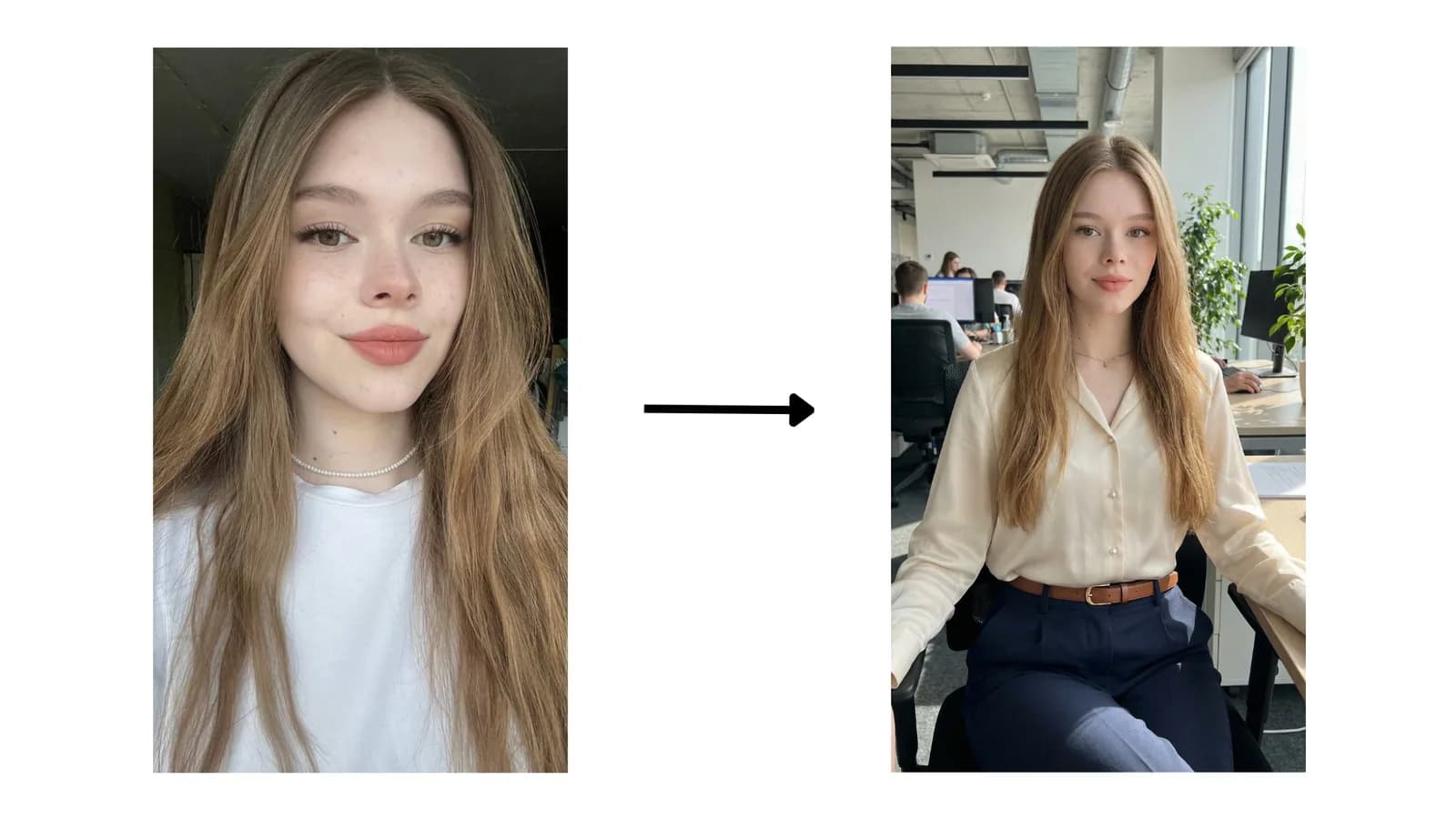
Most weak AI images start with weak direction. The model is not failing because it is mysterious; it is failing because the prompt asks it to solve too many problems at once. When the subject, setting, mood, and framing are all vague, the output becomes generic even if the prompt sounds dramatic.
Short answer
The fastest way to write better AI image prompts is to give the model a clear subject, a specific scene, deliberate composition cues, controlled lighting, and only a few style decisions that actually matter. That structure removes noise and makes the output easier to revise.
Seedory is useful here because it shortens the blank-page phase. Instead of improvising from scratch every time, you can start from a prompt page or collection that already points you toward a visual direction, then rewrite the details until the prompt matches the exact image you need.
Key takeaways
- Write prompts in layers: subject first, then scene, framing, light, and finish.
- Use concrete visual language instead of stacking vague adjectives.
- Treat revision as part of the prompt workflow, not as proof the first prompt failed.
Use this guide when you want to
- Turning a rough idea into a prompt that can actually generate a usable image.
- Improving consistency across portraits, product images, and editorial concepts.
- Teaching a team how to prompt with the same structure instead of random guesswork.
Start with the job the image needs to do
Before you write a single style word, decide what the image is for. A founder headshot, a cinematic character still, a product hero image, and a fashion editorial frame all need different kinds of direction. If you skip that decision, you end up writing prompts that sound sophisticated but do not actually serve the brief. The result is often a pretty image that cannot be used anywhere practical.
Useful prompts begin with function. Ask what the viewer should notice first, what the image should communicate, and what must stay consistent if you generate multiple versions. Once those questions are answered, the rest of the prompt becomes easier because you are no longer decorating an empty idea. You are directing an image with a purpose, which is exactly what makes prompting feel less random over time.
Build the prompt in visual layers
A dependable prompt usually has five layers: the subject, the environment, the composition, the lighting, and the finish. That order matters because it mirrors how a human would direct a shot. First decide who or what appears in frame. Then decide where they are. Then decide how the camera sees them. After that, define the light and mood. Finally, add only the style notes that sharpen the look instead of confusing it.
This layered approach is why some prompts feel dramatically stronger than others even when they are not longer. They are not better because they contain more keywords. They are better because each part of the prompt has a job. If a line of text does not clarify the subject, scene, frame, light, or finish, it is usually filler. Removing filler is one of the fastest prompt upgrades available.
Use concrete details instead of aesthetic piles
Many prompt writers try to solve uncertainty by stacking adjectives: cinematic, stunning, luxury, detailed, masterpiece, ultra-realistic, editorial, dramatic. That often creates friction because the model receives a mood cloud instead of a visual instruction. Concrete details travel farther. A waist-up portrait in hard side light with dark wool tailoring and a soft gray studio background gives the model something it can actually build.
The goal is not to eliminate style language. The goal is to earn it. If you say editorial, support that word with composition, wardrobe, pose, and finish cues that make editorial sense. If you say cinematic, back it up with atmosphere, contrast, depth, and a point of view. Style labels work best when they summarize a set of concrete decisions rather than replace them.
Revise by isolating one variable at a time
When a prompt fails, the common reaction is to rewrite the entire thing. That is usually wasteful. A better method is to isolate the variable that actually caused the problem. If the face looks weak, adjust subject clarity and lens distance. If the mood is flat, revise the lighting. If the composition drifts, add stronger framing cues. Controlled revisions teach you more than full rewrites because they reveal what each part of the prompt is doing.
This is where a curated library earns its place. In Seedory, you can open a prompt that already leans portrait, editorial, cinematic, or subject-specific, then edit one layer at a time. That workflow is far more efficient than starting from a blank prompt for every image. It also creates a visible paper trail of what improved the result, which helps you reuse the stronger version later.
Use Seedory as a prompt workspace, not just a prompt list
The value of a prompt library is not just access to text. It is access to starting points that already live inside a topical structure. If you know you need portrait direction, start with portrait pages. If you need a more dramatic visual language, branch into cinematic or editorial routes. That structure makes the research phase faster and keeps your revisions connected to the outcome you actually want.
Better prompting is rarely about discovering one magic sentence. It is about building a reusable decision process. Browse a relevant cluster, copy a prompt that already has the right bones, change the subject and scene to match your brief, then keep refining until the image reads clearly. That process feels more professional because it is more professional. It turns prompting from gambling into iteration.
Frequently asked questions
How long should an AI image prompt be?
Long prompts are not automatically better. A prompt should be long enough to define the subject, scene, framing, light, and finish without burying those ideas under repetition. Many strong prompts land in the medium range: detailed enough to direct the image, short enough that every phrase still has a purpose.
Should I include camera terms in every image prompt?
Only when they help. Camera language is useful when composition matters, especially for portraits, product images, and editorial scenes. If lens distance, angle, or framing changes the result in a meaningful way, include it. If it is decorative and you do not really care, leave it out.
Why do my prompts sound good but generate weak images?
Usually because the prompt is emotionally descriptive but visually vague. Words like beautiful, premium, and stunning are not enough on their own. The model needs scene information, compositional direction, and lighting decisions. Strong prompts feel specific before they feel poetic.
What is the easiest way to improve without starting from zero?
Start from a prompt that already matches the job. In Seedory, that usually means opening a relevant style, tag, or subject page, copying a prompt with the right structure, and revising only the parts that need to change. You learn faster when the base prompt is already pointed in the right direction.
Continue exploring
Related guides
Prompt Systems
The 5-Part AI Image Prompt Formula You Can Reuse
A reusable prompt formula keeps the model focused and makes revision faster. The best formulas are simple enough to repeat and specific enough to control the image.
Troubleshooting
Common AI Prompt Mistakes That Hurt Good Images
Most prompt failures are not dramatic. They are small structural mistakes that blur the subject, confuse the style, or remove control from the frame.
Workflow
How to Turn One Good Prompt Into a Reusable Template
A good prompt becomes more valuable when you can reuse its structure. Templates save time because they keep what works and expose only the variables you need to change.